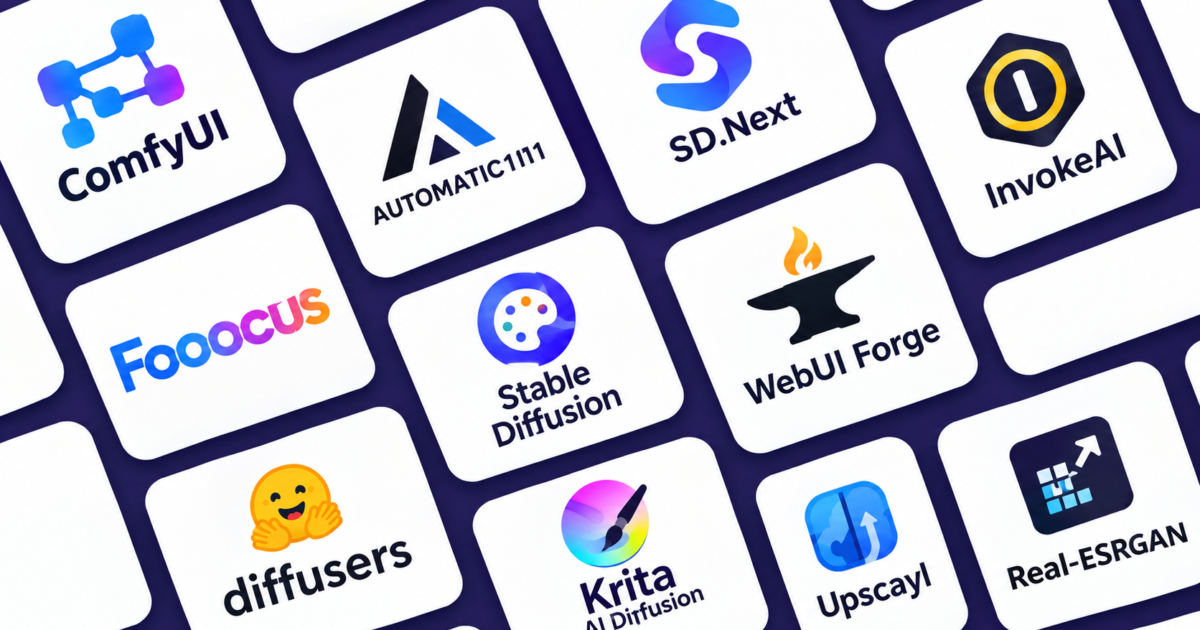
If you have been generating AI art through paid apps and wondering if there’s a free, more flexible way to do it, there absolutely is. These open source AI image tools let you run Stable Diffusion and other models locally, giving you full control over your workflow without a subscription or a usage cap. Below are ten of the best open source AI image tools worth knowing, whether you are just getting started or already deep into building custom pipelines.
1. ComfyUI
ComfyUI is the most powerful and customizable of all the open source AI image tools on this list. Instead of a simple prompt box, it gives you a visual, node based graph editor where every step of the diffusion pipeline is a connectable block. It supports SDXL, Flux, video generation, and a massive library of over a thousand community built custom nodes.
- Best for technical users who want total control
- Steeper learning curve, but extremely powerful long term
- Huge community for sharing and reusing workflows
Link: https://github.com/comfyanonymous/ComfyUI
2. AUTOMATIC1111
Often just called A1111, this was the interface that first brought Stable Diffusion to the mainstream. It strikes a solid balance between features and usability, and it remains one of the most widely used open source AI image tools among casual creators.
- Simple, familiar interface for beginners
- Massive extension ecosystem built up over years
- Runs reasonably well even on lower VRAM setups
Link: https://github.com/AUTOMATIC1111/stable-diffusion-webui
3. SD.Next
SD.Next is a fork of the original Stable Diffusion WebUI, built with performance and broader model support in mind.
- Supports a wider range of diffusion models out of the box
- Frequent updates and active development
- A solid middle ground between A1111’s familiarity and ComfyUI’s flexibility
Link: https://github.com/vladmandic/sdnext
4. InvokeAI
InvokeAI is one of the more polished and professional feeling options among today’s open source AI image tools, aimed squarely at designers and studios.
- Clean, unified canvas for painting and inpainting
- Strong ControlNet support
- Full REST API for building it into other tools or pipelines
Link: https://github.com/invoke-ai/InvokeAI
5. Fooocus
Fooocus strips everything down to the essentials. If ComfyUI is a mixing board, Fooocus is a single volume knob, making it one of the friendliest open source AI image tools for absolute beginners.
- One click install, minimal setup required
- Midjourney style simplicity, just type a prompt
- Great for beginners who want quality output without tweaking settings
Link: https://github.com/lllyasviel/Fooocus
6. Stable Diffusion WebUI Forge
Forge is a performance focused fork of the classic WebUI, built to run faster and use memory more efficiently while keeping the interface familiar.
- Noticeably faster generation speeds
- Lower VRAM usage than the original WebUI
- Compatible with most existing A1111 extensions
Link: https://github.com/lllyasviel/stable-diffusion-webui-forge
7. Diffusers
Diffusers is Hugging Face’s Python library for working directly with diffusion models, rather than a graphical interface, and it quietly powers several other open source AI image tools on this list.
- Ideal for developers building custom applications
- Access to a massive range of models through Hugging Face
- The backbone that powers many other tools on this list
Link: https://github.com/huggingface/diffusers
8. Krita AI Diffusion
This one is a plugin rather than a standalone app, bringing AI generation directly into Krita, the popular open source painting program.
- Generate and edit images without leaving your canvas
- Great for artists who want AI as an assist, not a replacement
- Supports inpainting and region based generation right inside your artwork
Link: https://github.com/Acly/krita-ai-diffusion
9. Upscayl
Upscayl is a free, open source app focused entirely on one job, making low resolution images sharp and usable again.
- Simple drag and drop interface
- Multiple AI upscaling models to choose from
- Works well on batch jobs for large image sets
Link: https://upscayl.org
10. Real-ESRGAN
Real-ESRGAN is the upscaling model that powers many other tools on this list, including parts of Upscayl itself, and it remains one of the most dependable open source AI image tools for restoration work.
- Excellent at restoring detail in old or compressed photos
- Works well on both real world photos and illustrated art
- Frequently used as a backend inside larger AI art pipelines
Link: https://github.com/xinntao/Real-ESRGAN
Which Open Source AI Image Tool Should You Actually Use?
- If you want maximum control, start with ComfyUI
- If you want something familiar and well documented, AUTOMATIC1111 or Forge are solid picks
- If you just want quality results with zero fuss, Fooocus is hard to beat
- If you are painting and want AI baked into your workflow, try Krita AI Diffusion
- If your images just need a sharper finish, Upscayl or Real-ESRGAN will get you there
The Bottom Line
The beauty of these open source AI image tools is that none of them lock you in. You can mix and match, generate in ComfyUI, refine in Krita, and finish with an Upscayl pass, all without paying a subscription or losing control of your own files. For anyone serious about AI art, learning even two or three of these open source AI image tools will take your workflow much further than any single paid app.
For a closer look at building full AI powered workflows, you might also enjoy our guide on comparing frontier AI models, which covers a similar hands-on comparison approach. Also check our 7 ai tools for small businesses if you own a business.